
Kiekka on mobile – browser access and what works from your phone
Start playing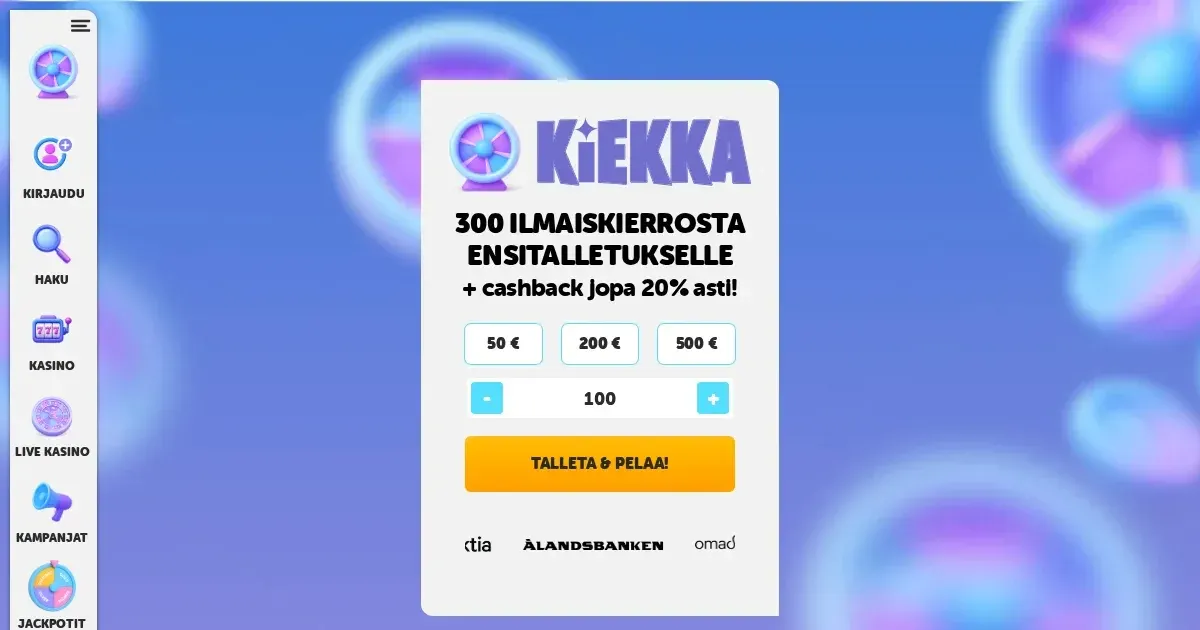
















The honest answer on apps
Kiekka runs entirely in your mobile browser – there is no native iOS or Android application to download. You visit the same site address from your phone as you would on a desktop, log in with the same credentials, and the platform adapts its layout to fit the smaller screen. This approach means no app-store approval delays, no separate updates to install, and no extra storage eaten up on your device.
The trade-off is that you are working inside Safari, Chrome or whichever browser you prefer, rather than a purpose-built shell. Push notifications for new promotions do not exist, and you will not find a home-screen icon unless you bookmark the page yourself. For many players that simplicity is an advantage – one fewer login to remember, and one fewer piece of software to trust with payment details.
The browser route in practice
Open your mobile browser and type kiekka.com into the address bar. The site detects the screen size and rearranges itself – the main navigation collapses into a hamburger menu, game thumbnails stack vertically, and the live-chat widget shrinks to a corner button. You use the same [email protected] email address for help, and the same Brite instant-banking flow for deposits that the desktop version offers.
The layout is described as mobile-first, meaning the operator designed the browser experience for phones before adapting it to larger screens. In practice that shows in two ways: touch targets are large enough to tap without zooming, and the cashier form fields fill the width of the screen so you are not pinching to read fine print. Registration, if the operator collects it at all, asks for the same details – name, date of birth, address, email and phone number – presented one field per row rather than squeezed into a two-column grid.
Logging in and staying signed in
The pay-n-play promise the operator markets means your online-banking credentials double as your casino login. Deposit through Brite from a mobile browser and the session opens automatically. There is no separate username or password to type on subsequent visits – authenticate with your bank again and you are back in. This removes one layer of friction, though it also means anyone holding your unlocked phone can reach your account if the browser session has not expired.
Features that survive the small screen
The games library is fully accessible from a phone. Slots load in portrait or landscape orientation, and the live-casino section streams video feeds at a resolution that adjusts to your connection speed. NetEnt, Play'n GO, Pragmatic Play, Yggdrasil and Microgaming titles all render without desktop-only plugins, and the RNG-tested fairness the operator describes applies identically whether you are playing from a 6-inch screen or a 27-inch monitor.
Your cashier works exactly as it does on desktop: the 20 € minimum deposit, the withdrawal limits of 5,000 € per day, 20,000 € per week and 50,000 € per month, and the same first-in-first-out method of processing payouts. Brite transactions complete in minutes, as the operator claims, and you can request a withdrawal from a phone while standing in a queue or sitting on a bus. The daily cashback of up to 20% must still be claimed manually between 13:00 and 00:00 CET – the site will not award it automatically just because you are on mobile.
Support channels remain consistent. Live chat is available after logging in, and the chat bot with its FAQ runs in the same window as on desktop. If you cannot log in at all, [email protected] is the fallback – response times are not published, but the contact page states Finnish-language support operates daily from 09:00 to 01:00.
The Kiekkamittari and daily free spins
The level-meter system works identically on mobile. Every real-money spin charges the progress bar, and when you fill it a new free-spin package is awarded on the game you have played most. The welcome offer – 300 free spins spread over ten consecutive days, 30 spins per day – must be claimed manually each day, and that claim button is as easy to tap on a phone as it is to click on a laptop.
Where mobile is worse than desktop
The terms and conditions, privacy policy and bonus rules are formatted for desktop reading – long paragraphs of justified text that wrap awkwardly on a 6-inch screen. Scrolling through the wagering requirements or the restricted-country list becomes tedious, and there is no mobile-optimised summary to shortcut the legal prose. If you need to check whether a game counts toward the 35× wagering multiplier, expect to zoom in and hunt for the relevant clause.
The jackpot section lists three tiers – or four, depending on which part of the site you read – but the page does not explain how the 0,10 € side bet per spin feeds into the pot, and that explanation is even harder to piece together from a phone. The network promotions from Pragmatic Play, Playson and Games Global carry their own multi-page terms documents, and none of them reformats neatly for portrait viewing.
Game filters exist, but the category tags – classic three-reel, modern video slots, jackpots, bonus-feature games – take up more vertical space on mobile than they do in a desktop sidebar. If you are looking for a specific title and cannot remember its name, you will be scrolling past hundreds of thumbnails rather than typing into a search box that does not appear to exist.
Battery drain and data use
Live-dealer streams consume data quickly – a 30-minute session at a roulette table can eat through 200–300 MB depending on the video quality your connection sustains. Slots are lighter, but running any casino session for an hour or more will warm your phone noticeably and pull the battery down faster than browsing static pages would. The operator does not publish figures for data consumption, so track your usage through your phone's own settings if you are on a capped plan.
A short checklist before playing on mobile
Before you open the site and deposit from your phone, check four things that matter more on a small, portable screen than they do at a desk.
- Connection stability. A dropped 4G signal mid-spin does not void your bet – the game server records the result and your balance updates when you reconnect – but it does interrupt your session and can leave you unsure whether a withdrawal request went through. Wi-Fi is more reliable than mobile data for anything involving money.
- The address in the browser bar. Phishing sites that mimic legitimate casinos are more convincing on a small screen where you cannot see the full URL at a glance. Type kiekka.com yourself rather than following a link from an email or a message.
- Signing out on a shared device. If you lend your phone to someone, or if it is a work device other people handle, log out of the casino session manually. The pay-n-play flow that skips passwords also means there is no password prompt stopping the next person who opens the browser from reaching your account.
- Deposit limits set before you start. The operator offers deposit limits and time limits as responsible-gambling tools. Set them from the account settings before your first mobile session – it is harder to make that decision in the moment when you are two minutes from boarding a train and tempted to chase a loss.
Responsible gambling
Gambling should feel like entertainment, not an obligation. Kiekka provides deposit limits and time limits that apply across desktop and mobile sessions alike, and you can request a self-exclusion period at any time by contacting support. Fruity Entertainment brands operate independently, so a self-exclusion set at one does not automatically carry over to another – you would need to contact each brand's own support email separately if you want group-wide cover.
Help is available through Peluuri at www.peluuri.fi or by calling 0800 100 101, and through Nimettömät pelurit (Gamblers Anonymous) at https://www.nimettomatpelurit.fi. UK residents can reach GamCare at www.gamcare.org.uk or call the National Gambling Helpline free on 0808 8020 133, available 24 hours a day. BeGambleAware offers confidential support at www.begambleaware.org, and GamStop (www.gamstop.co.uk) provides free national self-exclusion across licensed UK sites.
Blocking software such as Gamban (gamban.com) and BetBlocker (betblocker.org) works on mobile devices and can prevent access to gambling sites entirely. If you share a device with someone under 18, parental-control tools like Net Nanny or Qustodio can block casino domains system-wide. You must be 18 or over (18+) to access this site.
This content is provided for information and marketing purposes. We are not a gambling operator, bookmaker or organiser of betting or gaming activity. This site is restricted to visitors aged 18 and over (18+). Free, confidential support with gambling is available at BeGambleAware.org.
Frequently asked questions
Does Kiekka have a mobile app I can download?
No, Kiekka does not offer a native iOS or Android application. The platform runs entirely in your mobile browser – visit the same site address from your phone, and the layout adapts to fit the smaller screen.
Do the daily free spins work on mobile?
The welcome offer of 30 free spins per day for ten consecutive days must be claimed manually each day, and that claim button works identically on a phone. The Kiekkamittari level system also tracks your spins and awards free-spin packages whether you are playing from a desktop or a mobile device.
Will playing live dealer games on mobile use a lot of data?
Live-dealer streams consume 200–300 MB per 30-minute session depending on video quality. Slots are lighter on data, but any extended session will drain your battery faster than static browsing. Connect to Wi-Fi when possible to avoid capped-data surprises.
Game Providers